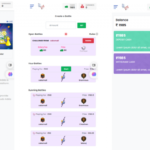


Turn your mobile phone into the SMS Gateway for your applications. Send bulk SMS and MMS using your Android device SIM.
Features
- Send bulk messages using spreadsheet :- Use CSV or Excel file containing numbers along with any additional data to send bulk messages. You can use the column header as spintax, and it will use data available in that column to create personalized messages for each number.
- Send bulk MMS :- It supports sending MMS too. You can send normal text messages as MMS, or you can also attach image files with your messages. It also provides an API, so you can send MMS messages programmatically. This feature relies on MMS availability in your country and support from your network operator. The receiver must be capable of receiving MMS to receive it. If you can send MMS normally, then it should work. This feature should not be confused with RCS or any other messaging capabilities provided by the device manufacturer (e.g., Samsung message, Mi message, etc.). It is a good idea to try out the demo from here to check MMS compatibility.
- Supports sending USSD pull requests :- It also supports sending USSD pull requests. You will be able to send it using the web panel or API. All the responses resulting from USSD pull requests will be visible in the web panel. You can read responses using the API, or you can also add a webhook to read them as soon as they arrive. This feature requires a device with Android 8.0 or above. You can also schedule USSD pulls to be sent at a specific date and time.
- SaaS Ready :- You can sell it as a service with a regular license. You can add plans that limit credits, contact lists, contacts, devices, sending servers, sender ids, templates, webhooks, API tokens, and auto responses. It provides Crypto.com, PayPal, Paystack, Razorpay, and Stripe integration, which allows you to process credit cards and debit cards. You can also set up offline payments (Bank Transfer, Cash, Cheque, etc.) by adding instructions for the user. Once the payment is done, the admin can approve it, and it will start the subscription for the user. The manual subscription will renew itself at a defined interval until you cancel it, or it reaches the expiry time.
- Offline Payments :- Accept payments via offline methods like bank transfer, cash, or cheque. Admins can verify and approve them to activate subscriptions.
- Credits Consumption Rate :- Admin can define how credits are consumed for different types of actions such as sending SMS, MMS, USSD pulls, etc.
- Resource-friendly, Scalable & Queue-Based Architecture :- Unlike most apps that use long polling, SMS Gateway uses Firebase Push Notifications to reduce server load and preserve battery life on devices. Optionally, it can run without Firebase. For heavy tasks, the system uses queues to handle large workloads efficiently without blocking the server.
- Complete White-Label Solution :- You can completely white-label the Android app by changing its logo, name, package name, server URL, default settings, and languages using the build server. You can create up to 3 custom APKs per new version per license.
- Works in background :- You don’t need to keep the Android app open on the device for it to work. This makes it easier to use it with your regular device. You won’t need a dedicated device for it.
- API :- Send messages from your application developed using any programming language.
- Supports very long messages :- Send SMS with virtually no limit. You won’t be bound by the SMS character limit (160 characters).
- Supports delay between messages :- You can set delay between each message to send a limited number of messages in a specific time interval.
- Supports traditional and QR Code sign-in :- You can log in to the mobile app using a QR code or by entering your credentials manually. There is no need to enter server URL and credentials manually when using the QR code.
- Tracks message status :- Shows the status of messages sent using SMS Gateway in the Admin Panel.
- Auto responder :- You can add responses for certain messages, so whenever you receive that message, the app will reply automatically. You can specify multiple keywords and even send MMS with attachments using auto response.
- Multi-language support :- It supports multiple languages and comes with several built-in options. You can add more languages easily by following the instructions in the docs.
- Supports SMS delivery reports :- Track delivery of SMS messages when you enable delivery reports. The system will show the message as ‘Delivered’ once it is confirmed by the network.